What Is a Gaming DAC and Why Do Players Use One?
Most computers can already make sound, so it is fair to ask why anyone would buy another box for it. The answer lies in how that sound is produced. Every digital sound has to be turned into an electrical signal before your headphones can play it, and the part that does this job is called a DAC. A gaming DAC is simply a DAC built with desktop or play use in mind, often with a headphone amplifier included. This article explains what it does and what to consider, using the product information published in the gaming DAC collection of Fosi Audio.
The job of a DAC
DAC stands for digital to analog converter. A game, a video or a voice call is stored and sent as digital data, which is a long series of numbers. Headphones and speakers cannot use numbers. They need a changing electrical signal. The DAC reads the numbers and produces that signal.
Every computer, phone and console has a DAC built in. The difference with a separate unit is that it sits outside the noisy inside of the machine, and it is designed with sound quality as its main task. Many external units also include a headphone amplifier, which gives the signal enough strength to drive headphones properly.
What the Fosi Audio collection offers
The game audio collection lists a handful of products. They include the K7 Desktop DAC Headphone Amplifier, the StepSense C3 Gaming Audio DAC and Headphone Amp, the K5 Pro Gaming DAC Headphone Amplifier, and the DS3 Portable DAC Headphone Amp.
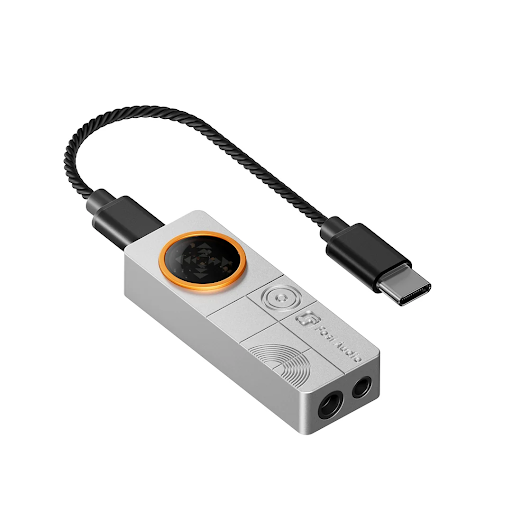
The page describes the K7 as a desktop unit with versatile connectivity, the StepSense C3 as designed for enhanced sound positioning, the K5 Pro as an affordable desktop upgrade, and the DS3 as a compact, plug and play model. The page does not give a full specification list for each product, so anyone planning a purchase should check the individual product pages for exact details.
Figures given for the line
The collection page gives some general numbers. It says the DACs can decode up to 24 bit and 192 kHz or above, and that the headphone output is able to handle headphones with an impedance of 300 ohms and above. It lists the connections used across the range as USB, optical, coaxial, Bluetooth, 3.5 mm, 6.35 mm and RCA, with the exact set depending on the model.
Bit depth and sampling rate describe how detailed the digital signal is. A higher figure means the signal carries more information. In practice the benefit you hear depends on your headphones, your source and your own ears, so treat these numbers as a capability and not as a promise of dramatic change.
Why sound positioning matters
Games use sound to tell you where things are. A footstep on the left or a vehicle approaching from behind gives you information that your eyes may not have. The page highlights sound positioning and precise tracking of in game cues as a benefit of using a dedicated unit. A clean signal and a headphone amplifier with enough power help you hear small differences clearly.
This is not only about games. The same qualities help with voice chat, video calls, recorded talks and lectures. A clear signal makes spoken words easier to follow, which many people find tiring to do through a weak or noisy output.
Streaming and content creation
The page notes that people who stream or create content need a dependable audio output, and that the products support monitoring and audio control. Monitoring means listening to your own output while you work, which helps you catch problems such as clipping or background noise. If you create videos or live sessions, this is a practical advantage.
Desktop or portable
The page lists both desktop and portable designs. A desktop unit stays on your table, usually has more connections and sometimes more power. A portable unit like the DS3 is small enough to carry with a laptop or phone, and it can be plugged in with little setup. Choose by where you actually use your headphones. If you work and play at one desk, a desktop model makes sense. If you move between places, a portable one is easier.
Things to check before buying
First, check your headphones. Their impedance and sensitivity decide how much power they need. Low impedance headphones are easy to drive, while high impedance ones need a stronger amplifier. The collection page mentions support for 300 ohms and above, which suggests that high impedance models are intended to be covered.
Second, check connections. Make sure your computer or console has the output the DAC uses, whether USB, optical or coaxial. Third, check your headphone plug size. A 3.5 mm output suits most gaming headsets, while a 6.35 mm output suits larger studio style headphones.
Fourth, read the individual product page for exact specifications, supported systems and warranty terms.
A realistic view
A gaming DAC will not fix poor recordings or cheap headphones, and it will not make you a better player. What it can do is deliver a cleaner, stronger and better controlled signal, with extra connections and sometimes extra features. For people who spend many hours at a desk with headphones, that can make daily use more comfortable.
If you are curious, compare a few models, read their pages carefully and match the features to your own setup instead of buying the most expensive unit. A good choice is the one that fits your equipment and your habits.