Smart Home Lighting Systems That Improve Energy Efficiency and Everyday Comfort
Most homes waste light in the same quiet ways: a hallway lamp burns all evening in an empty corridor, a kitchen stays at full brightness long after cooking is done, and a bedroom glows at a colour temperature that makes winding down harder. Smart home lighting does not fix those habits by asking you to remember more switches. It changes when, where, and how brightly lights run, so comfort improves while the electricity used to produce that comfort falls.
The direct answer is that the biggest gains come from a simple combination, not from buying the most expensive system available. Start with efficient LED lights, add dimming, then add schedules and sensors for the rooms that are most often left on by mistake. A well-set system in an ordinary home typically cuts lighting waste noticeably, because lights are dimmed when full brightness is not needed and switched off when no one is in the room, rather than relying on willpower alone.
Smart lighting is best understood as a control layer, not just a bulb. That layer can be a smart bulb, a smart switch, a dimmer, a sensor, or a small hub that ties them together. Each option suits a different home, and the right mix depends on your wiring, your budget, and how much automation you actually want. This guide explains those choices in plain terms, so you can build a system that stays useful after the novelty wears off.
How Smart Lighting Saves Energy Without Making Rooms Feel Dim
Energy saving in smart lighting comes from three levers: lower wattage, lower brightness, and shorter running time. LED bulbs already use far less power than old incandescent bulbs for the same light output, and they last much longer. Dimming adds a second saving, because a light at 70 percent brightness uses less power than the same light at full brightness, while still providing plenty of light for relaxing, eating, or watching television.
The third lever, running time, is where automation earns its keep. Motion sensors switch lights off in bathrooms, hallways, laundry rooms, and garages after a set period with no movement. Schedules switch porch and garden lights on at dusk and off at bedtime, instead of leaving them on all night. Daylight sensors dim or switch off lights near windows when sunlight is already doing the job. None of these steps requires a dark room; they simply stop paying for light that no one is using.
Smart Bulbs, Smart Switches, and Smart Dimmers: Which Control Fits Each Room
Smart bulbs are the easiest starting point, because they screw into an existing fitting and are controlled by an app, voice assistant, or schedule. They are ideal for lamps, bedrooms, and rented homes, and they allow individual control of colour temperature and brightness. Their weakness is the wall switch: if someone switches the bulb off at the wall, it loses power and cannot respond until the switch is turned back on, which frustrates households that are used to ordinary switches.
Smart switches and dimmers solve that problem by replacing the wall control itself, so the switch still works by hand while also responding to schedules and voice commands. They are usually the better choice for ceiling lights, kitchens, and hallways, especially where several bulbs share one switch and replacing every bulb would be wasteful. They generally require a neutral wire in the switch box in many systems, so check your wiring or ask an electrician before buying a large batch, particularly in older homes.
A hub is not always required, and that is a common source of confusion. Many bulbs and switches connect directly over Wi-Fi, while others use Zigbee, Z-Wave, Thread, or Bluetooth and need a hub or a compatible voice assistant to tie them together. Wi-Fi devices are simple to start with, but a home with dozens of them can strain a router. Hub-based systems often respond faster and keep working locally if the internet drops, which matters for lights you rely on every night.
Dimming, Colour Temperature, and Scenes That Match Daily Life
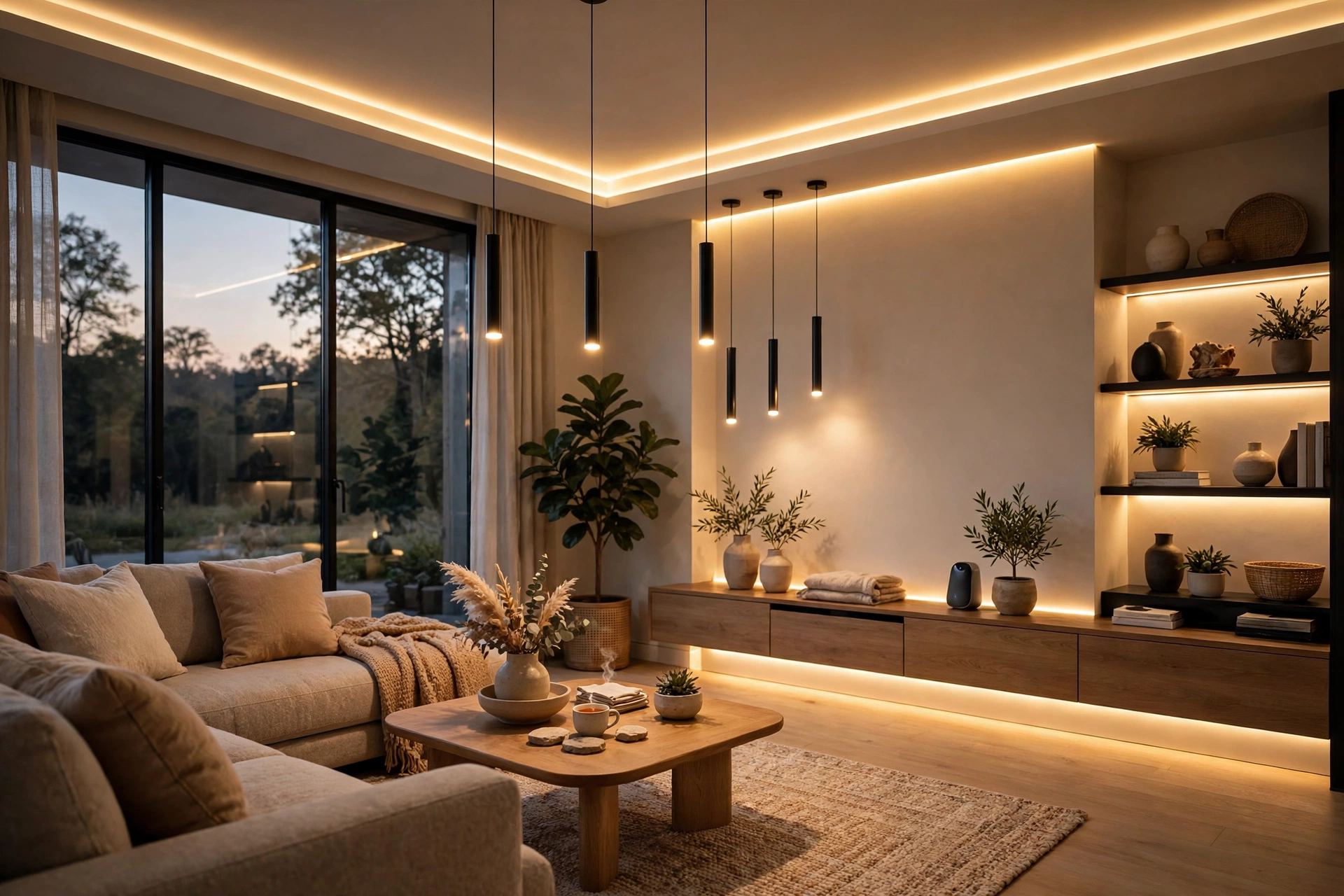
Dimming is the single most underrated comfort feature in smart lighting. Bright, cool light helps concentration for cooking, reading, and working, while warm, dim light in the evening helps a home feel calm and supports a better wind-down before bed. Smart systems let you set those levels once, as scenes, instead of adjusting every lamp by hand. A cooking scene might bring the kitchen to full brightness, while an evening scene dims the living room and switches off the hallway.
Colour temperature, measured in kelvin, describes whether light looks warm or cool. Warm white, around 2700 kelvin, suits living rooms and bedrooms. Neutral white, around 3500 to 4000 kelvin, suits kitchens and bathrooms. Cooler daylight tones suit task areas but can feel harsh in the evening. The practical rule is simple: use cooler, brighter light where you need to see detail, and warmer, dimmer light where you want to relax, and let scenes switch between them automatically at set times.
Sensors and Schedules That Stop Lights Burning in Empty Rooms
Sensors work best in rooms with short, predictable visits. A bathroom sensor that switches the light on when someone enters and off a few minutes after they leave saves energy without any thought from the user. Hallway and stair sensors improve safety at night, because a dim light can come on automatically instead of leaving someone to fumble for a switch in the dark. Garages and utility rooms are similar: the light is needed briefly, and it is easy to forget.
Schedules work best for routines that repeat every day. Porch lights on at sunset and off at midnight, kitchen lights dimming after dinner, and bedroom lights fading as bedtime approaches are all set-and-forget routines. The mistake to avoid is over-automating every room at once. Start with two or three high-waste rooms, live with those automations for a few weeks, and only then extend the system. A system that is constantly switching lights in ways people do not expect will simply be switched off at the wall.
- Put motion sensors in bathrooms, hallways, laundry rooms, and garages first.
- Use daylight sensors near large windows, where artificial light is often unnecessary.
- Set porch and garden lights to sunset and bedtime, not to run all night.
- Give every automation a manual override, so guests and children can still use a switch.
Smart Lighting Rooms Ranked by Energy Waste and Comfort Payoff
Kitchens and living rooms usually offer the largest comfort payoff, because dimming and scenes change how those rooms feel every evening, even if the energy saving is modest. Bathrooms, hallways, and garages usually offer the largest waste reduction, because their lights are most often left on. Bedrooms benefit most from warm evening scenes and gentle wake-up lighting, which can make mornings easier without any extra energy cost.
Outdoor lighting deserves separate attention, because it is often left on the longest and forgotten most easily. Motion-activated security lights, dusk-to-bedtime porch lights, and low-level path lights use far less energy than a floodlight burning all night, and they are less disruptive to neighbours. If outdoor lights are on a smart switch, a single schedule can cover the whole exterior, which is easier to manage than separate timers on every fitting.
Smart Lighting Costs, Compatibility Traps, and Electrical Safety
Costs vary widely, and the cheapest path is not always the best value. A few smart bulbs cost little and suit a single room, while a whole-home system with smart dimmers, sensors, and a hub costs considerably more upfront. As broad estimates only, budget for bulbs or switches individually rather than assuming a whole-home price, and remember that LED efficiency already delivers much of the saving even before automation is added. The return comes from reduced waste and longer bulb life, not from a guaranteed bill reduction, which depends on how much lighting you used before.
Compatibility is the trap that causes most frustration. Not every dimmer works with every LED bulb, and a mismatched pair can flicker, buzz, or fail to dim smoothly. Check the manufacturer’s compatibility list before buying in bulk, and test one room first. Also check that your chosen system works with the voice assistant or hub you already use, because mixing incompatible ecosystems leads to several apps for one home, which most households quickly abandon.
Electrical safety matters when replacing switches or dimmers. Switch off the circuit at the consumer unit before touching any wiring, confirm the circuit is dead, and do not work on wiring you are unsure about. Older homes, aluminium wiring, and switch boxes without a neutral wire are all reasons to call a qualified electrician. Smart lighting should make a home safer and more comfortable, not introduce an electrical risk that a professional could have avoided in an hour.
Final Thoughts: Building a Smart Lighting System You Will Still Like in a Year
A smart lighting system succeeds when it disappears into daily life. Choose LED lights first, add dimming for the rooms where you relax, add sensors for the rooms you forget, and add schedules for the routines that repeat. Test one room, keep the switches usable by everyone in the home, and expand only when the automations feel natural rather than intrusive. Done that way, smart lighting saves energy quietly, makes evenings more comfortable, and does not become another gadget that is switched off and forgotten.
Smart Home Lighting FAQs
Do smart lights save energy if I already use LED bulbs?
Yes, but the saving comes mainly from dimming and shorter running time, not from the bulb itself. LEDs already use far less power than incandescent bulbs. Smart controls add saving by dimming lights when full brightness is not needed and switching them off in empty rooms, which LEDs alone cannot do.
Will smart lights work during an internet outage?
It depends on the system. Many hub-based systems continue to control lights locally, and wall switches still work by hand. Pure Wi-Fi bulbs controlled only through a cloud app may not respond to app or voice commands during an outage, although their wall switches, if powered, still operate the light in the usual way.
Do I need a hub for smart lighting?
Not always. Many bulbs and switches connect directly over Wi-Fi and work with an app or voice assistant. A hub is useful for larger systems, for Zigbee, Z-Wave, or Thread devices, and for faster, local control that does not depend entirely on the internet. Start without one if you only want a few rooms, and add one if you expand.
Why do my smart lights flicker when dimmed?
Flicker usually means the dimmer and bulb are incompatible, or the dimmer’s minimum load is not met. Check the manufacturer’s compatibility list, try a bulb from that list, and adjust the dimmer’s low-end setting if it has one. If flicker persists, replace the dimmer with a model designed for LED loads rather than continuing with a mismatched pair.
Are smart switches safe to install myself?
Only if you are confident working with household wiring and you switch the circuit off at the consumer unit first. If your home is old, if the switch box has no neutral wire, or if you are unsure about any connection, hire a qualified electrician. The cost of professional installation is small compared with the risk of faulty wiring.
Can smart lighting help with security when I am away?
Yes, in a limited way. Scheduled lights that turn on at dusk and vary slightly between rooms can make a home look occupied, and motion-activated outdoor lights deter casual intruders. Smart lighting is not a substitute for locks, alarms, or cameras, but as part of a broader security routine it is a useful and low-effort addition.